This article contains Amazon affiliate links. As an Amazon Associate we earn from qualifying purchases.
\n
In short :
- Check the load capacity first and leave a margin of about double your screen’s weight.
- Measure your space, your screen and the wall before anything else.
- Get the height right so your neck stays comfortable from the sofa.
- Make sure the fire has enough clearance so it doesn’t cook your electronics.
- Nail capacity, dimensions and height, and the rest is just style.
\n
\n\n
TV stand and fireplace: how to choose a unit that fits your room, your screen and your fire
\n\n
A TV stand and fireplace combination looks like a simple piece of furniture — a flat surface, a couple of shelves, a fire below, done. In practice, it’s one of the few objects in a living room that has to carry real weight, hide a tangle of cables, survive daily use, manage heat from a fire, and still look intentional from the sofa. Choose badly and you’ll spend the next few years annoyed by a wobbling top, a screen that sits too high, a console that swallows the remote every evening, or a fire that cooks your electronics.
\n\n
This guide walks through the criteria that matter when you’re comparing options, from the weight your screen actually puts on the surface to the height that keeps your neck happy and the clearance your fireplace needs. No brand names, no shopping list — just the benchmarks you can check yourself, at home, before committing.
\n\n
Load capacity and structural strength
\n\n
Start with the numbers, because everything else follows. A modern flat screen concentrates its weight on a small base or a narrow pair of feet, so the stand’s top surface has to resist pressure in one spot rather than across the whole board. Look for a stated maximum load that leaves a comfortable margin above your screen’s weight — roughly double is a sensible cushion, especially if you’ll also rest a soundbar or a console on the same surface.
\n\n
Material matters less than construction. Thick tempered glass, solid wood, and metal frames all work; what fails is thin particle board with fittings that pull out. Check how the legs or side panels meet the top: visible metal brackets, dowels, or cam locks suggest a sturdier build than a board screwed directly into the edge.
\n\n
A quick test in the shop or at home: press down firmly on one corner of the top. A stand that flexes or creaks under hand pressure will only get worse with a screen on it. If you already own the stand and hear a groan when you lean on it, that’s your answer.
\n\n
Dimensions: width, depth and the wall behind it
\n\n
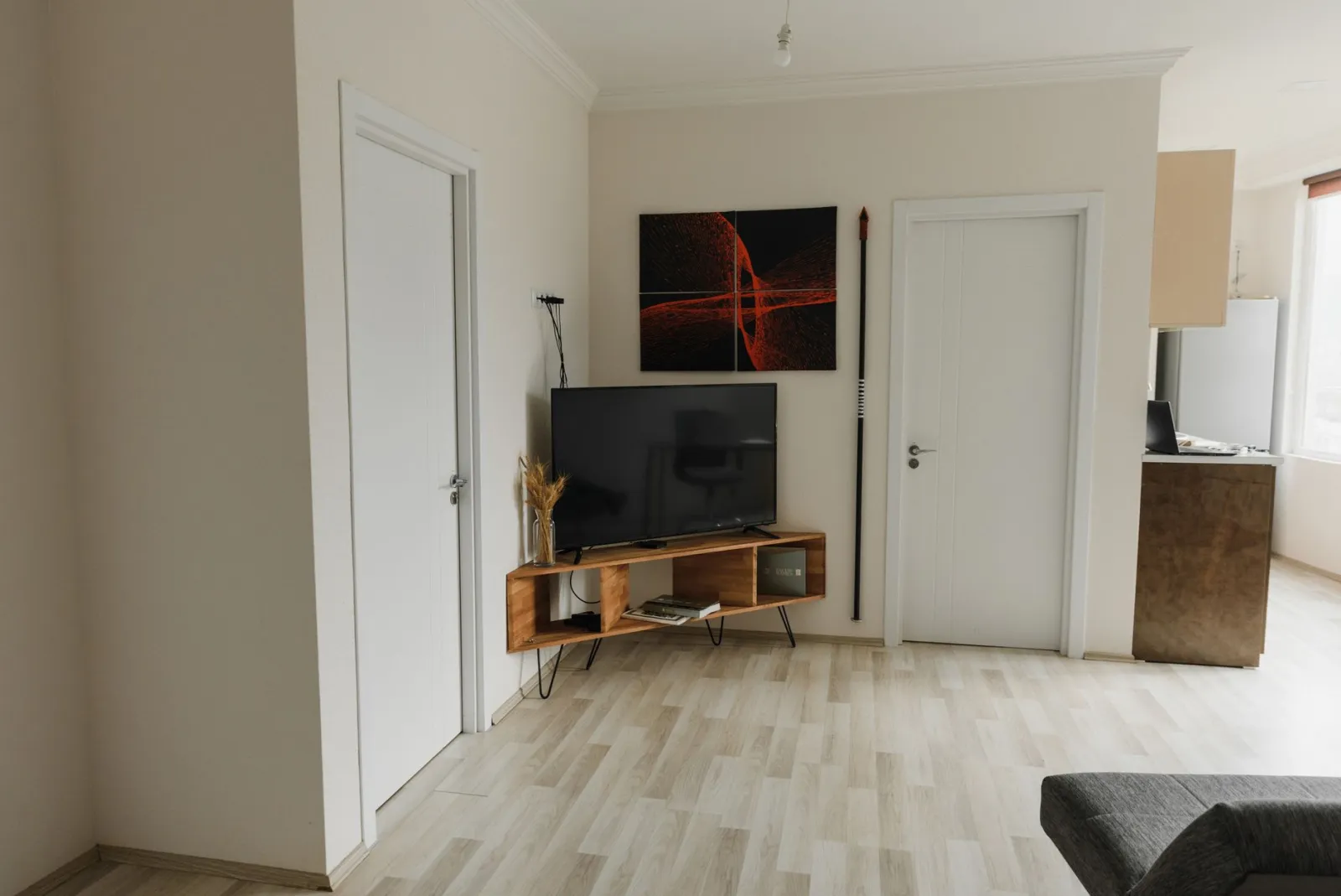
The rule of thumb most people ignore: the stand should be at least as wide as the television, and ideally a little wider. A screen that overhangs the edges looks unstable and makes the whole setup feel precarious. If your TV measures around 120 cm across, aim for a surface in the same range or slightly beyond.
\n\n
Depth is the quiet troublemaker. Screens with a central pedestal need less depth than models with two wide-spread feet, and a deep stand pushes the screen closer to your seating position. Measure the distance from the wall to your sofa before you fall in love with a deep unit — a stand that eats 50 cm of floor space changes how a small room feels.
\n\n
Don’t forget the wall itself. Skirting boards, a radiator, or a low window sill can stop a stand from sitting flush. A real example: a console that fits perfectly on paper but leaves a 6 cm gap behind it because of a baseboard, which then throws off the viewing distance you planned. Measure the gap, not just the wall.
\n\n
Height and viewing position
\n\n
Eye level is the reference point. When you sit normally, your gaze should land somewhere between the bottom third and the centre of the screen. Too low and you slouch; too high and your neck complains within an hour. This is why stand height and sofa height have to be considered together, not separately.
\n\n
A stand around 40 to 50 cm tall suits most seated viewing in a typical living room. If your sofa is unusually low or you watch from a bed, that range shifts. There’s no universal figure — there’s only the relationship between your seat and your screen.
\n\n
An easy check before buying: sit where you normally watch, hold a book at the height you’d want the screen’s centre, and note that height. Then compare it with the stand height plus the screen’s own height. It takes two minutes and prevents the most common regret.
\n\n
Storage, ventilation and cable management
\n\n
Open shelves, closed doors, drawers — each solves a different problem. Open designs let devices breathe and let remote signals through. Closed cabinets hide clutter but can trap heat around a streaming box or game console, so look for vents or a gap at the back.
\n\n
Cable management is what separates a tidy setup from a nest. Look for a rear panel with cut-outs, a channel, or at least enough space behind the shelves to route cables without pinching them. A stand with no opening at the back forces you to bend connectors at sharp angles, which is how ports get damaged.
\n\n
Think about what lives underneath too. If you keep a router, a console, and a soundbar, count the shelves you genuinely need rather than the ones that look good in a photo. A real case: a two-shelf unit bought for a single device, which within a year held four, all stacked and overheating.
\n\n
Stability, safety and the floor underneath
\n\n
Children, pets, and uneven floors are the three threats to a television. Anti-tip straps or wall anchors are cheap insurance and increasingly included with sturdier units. If the stand comes with a wall-fixing kit, use it — especially in homes with toddlers or large dogs.
\n\n
Floor type changes everything. On thick carpet, thin legs sink and the unit tilts; on hard floors, felt pads prevent scratches and stop the stand from sliding when you plug something in. Adjustable feet or levelling glides are worth looking for if your floor isn’t perfectly flat.
\n\n
Test stability by nudging the top gently from the side. A stand that shifts easily on its own is a stand that will shift with a screen on top. That single check tells you more than any description.
\n\n
Style, finish and how it ages in your room
\n\n
Materials and finishes decide whether the stand disappears into the room or fights everything in it. Wood tones warm up a space; glass and metal read cooler and more modern; painted finishes hide dust better than glossy surfaces. None of these is better — the question is what your room already contains.
\n\n
Match the dominant wood tone in the room rather than introducing a third one. A walnut stand between oak flooring and a white wall looks deliberate; the same stand beside a different wood species can look accidental. Take a photo of your room to the shop, or hold a sample against your floor at home.
\n\n
Durability shows up in the details: edge banding that doesn’t peel, hinges that close softly, surfaces that wipe clean without streaking. A finish that looks flawless in a showroom can show every fingerprint in a sunny living room.
\n\n
Assembly, maintenance and everyday practicality
\n\n
Flat-pack furniture lives or dies by its instructions. Before buying, check whether the fittings are labelled, whether the tools are included, and whether the panels are pre-drilled. A unit that takes two people an afternoon is fine once — it’s less fine if you move often.
\n\n
Maintenance is simple but specific. Glass shows smudges and needs a lint-free cloth; matte wood hides marks but dislikes wet rings; metal frames can scratch floors without pads. Knowing which you’re signing up for prevents small daily irritations.
\n\n
One last practical point: weight. A solid wood console can be genuinely heavy to move alone. If you rearrange your living room seasonally, or live in a building with narrow stairs, that’s a real criterion, not a detail.
\n\n
FAQ
\n\n
Is it better to hang TV or put on stand?
\n
It depends on your room and your habits. Wall mounting frees floor space and lets you set the exact height you want, which suits small rooms and clean, minimalist setups. A stand is easier to install, easier to move, and doesn’t require drilling into the wall — handy for renters or for anyone who rearranges furniture. If your wall is uneven, made of a material that’s awkward to fix into, or you simply want flexibility, a stand is the simpler route. If floor space is tight or you want a floating look, hanging wins.
\n\n
What type of TV stand is best?
\n
There’s no single best type — only the one that matches your screen, your room and what you store underneath. Open-shelf units suit devices that need airflow and remote signals. Closed cabinets hide clutter but need ventilation. Corner designs solve awkward layouts. What matters most is load capacity, a width at least equal to your screen, and a height that puts the centre of the picture near your seated eye level. Get those three right and the style choice becomes easy.
\n\n
What to use instead of a TV stand?
\n
Plenty of alternatives work if you accept their limits. A low sideboard or a sturdy dresser offers storage and often more surface. A wall-mounted shelf or bracket removes the furniture entirely. A media cabinet built into a larger shelving unit blends the screen into the room. Even a solid bench or a repurposed console table can do the job. The constraint is always the same: the surface must handle the concentrated weight of the screen and keep it at a comfortable viewing height.
\n\n
Where can I buy an inexpensive TV stand?
\n
Look beyond dedicated furniture shops. General home retailers, second-hand marketplaces, classified ads, and clearance sections of larger stores often carry units at lower cost. Flat-pack ranges tend to be the cheapest new option, while second-hand solid wood is frequently better value than new particle board. Whatever the source, check load capacity, width and height before you commit — a cheap stand that doesn’t fit your screen is not a bargain.
\n\n
The bottom line
\n\n
A good television stand and fireplace setup is the one that holds your screen safely, puts it at the right height, manages the heat from the fire, and fits the space you actually have. Prioritise load capacity and dimensions first, then height, then storage and style. If you get the first three right, the rest is decoration.
\n\n
For a broader look at the whole subject — placement, room layout, and the trade-offs between different furniture families — a more complete guide exists on the general theme of TV furniture and living room setup.
\n